
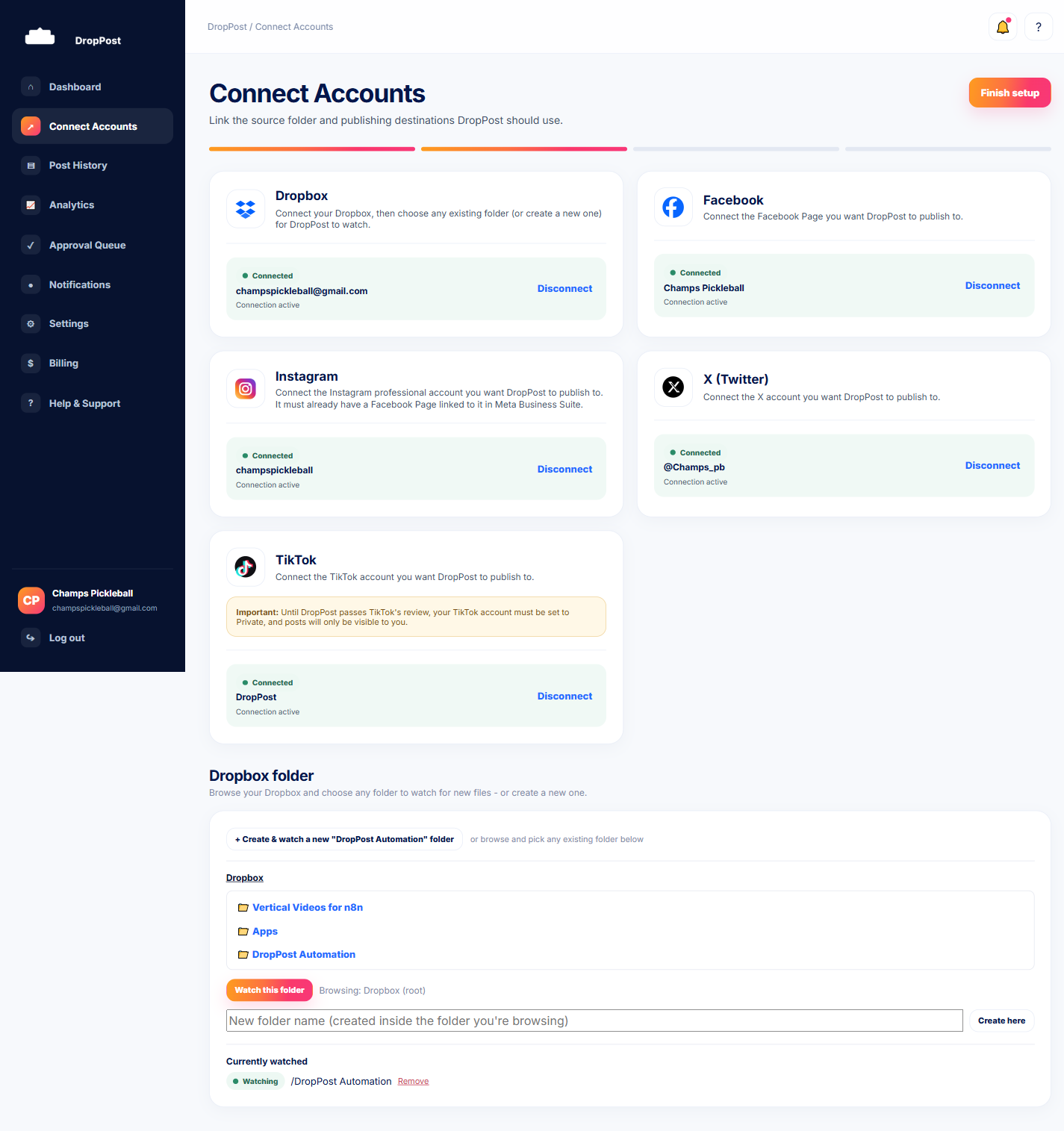
From the portal navigation, click Connect Accounts to see the connection status for every platform you've linked to DropPost.
Help / Reconnecting an expired account
Reconnecting an expired account
Platform connections can occasionally expire or get revoked — a password change, a security setting, or the platform itself ending the authorization. When that happens, DropPost can no longer publish to that account until you reconnect it. This guide covers how to spot it and fix it in under a minute.
What you'll need
Access to log back into the affected platform (Facebook, Instagram, X, or TikTok) when the authorization screen appears.
Steps
1
Open Connect Accounts
2
Spot the disconnected card
A platform whose connection has expired or been revoked shows a disconnected, needs-attention state on its card instead of its normal connected status.
3
Click Connect again
Click Connect on that same card to re-run that platform's authorization flow from the start.
4
Confirm it's connected
Once you complete the authorization, the card updates to show a connected status again, and DropPost resumes publishing to that platform on your next drop.
Reconnecting doesn't affect anything already posted — it only restores DropPost's ability to publish going forward.
What happens next
With the connection restored, any future photos or videos you drop into your Dropbox folder will publish to that platform normally again.