
Log in to your DropPost portal and click Settings in the navigation.
Help / Setting up Brand Voice
Setting up Brand Voice
Every caption DropPost writes comes from AI, and out of the box that AI defaults to generic, safe marketing language. Brand Voice fixes that by teaching it how your business actually talks — its tone, the hashtags it always reaches for, and a handful of real example captions to imitate. Setting this up once means every future caption sounds like you wrote it yourself.
What you'll need
A few example captions in the style you want — pulled from past posts, or written fresh — and a sense of the tone you want (playful, professional, energetic, and so on).
Steps
1
Open Settings.
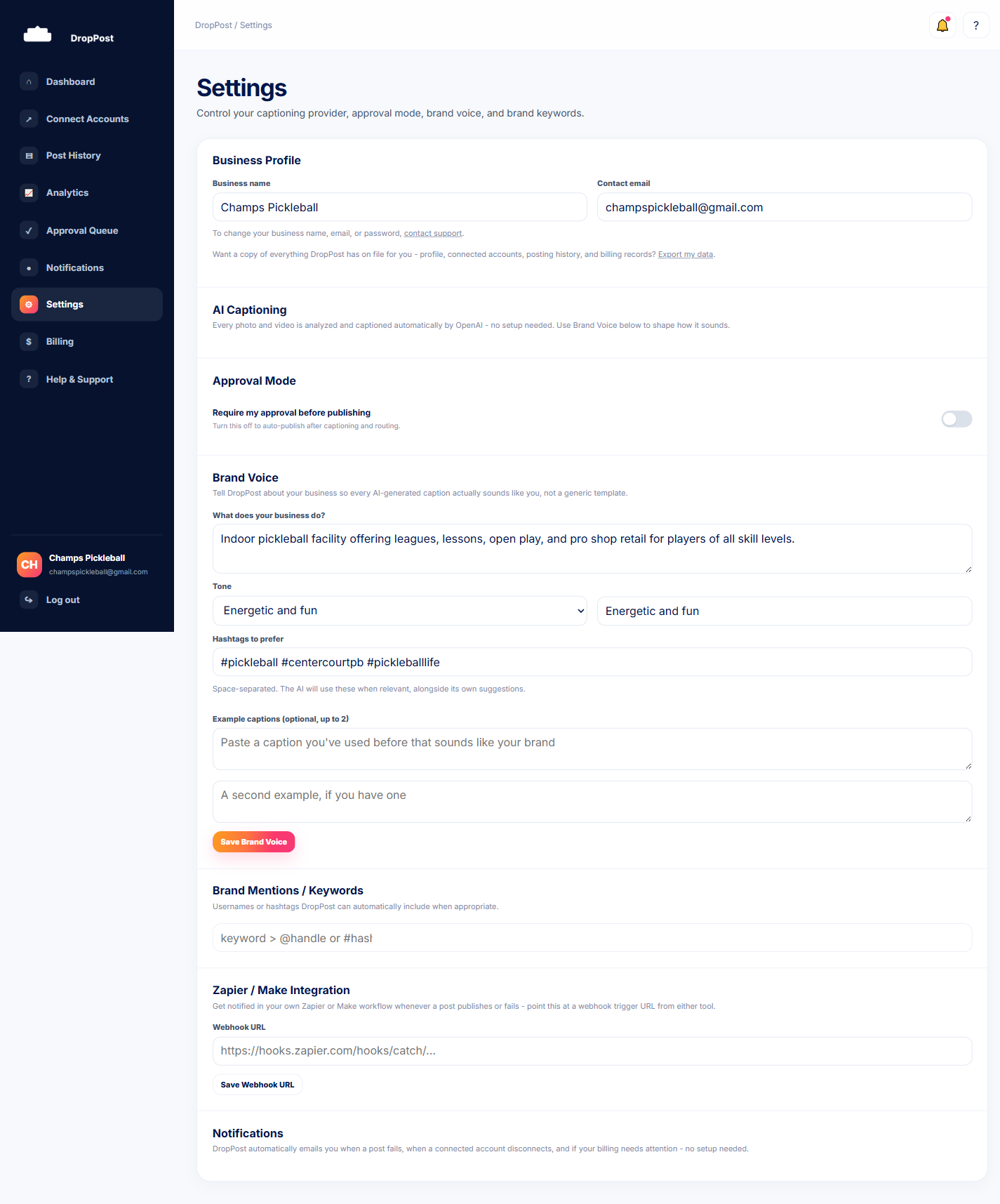
2
Find the Brand Voice section.
Scroll to the Brand Voice section of the Settings page. You'll see fields for tone, preferred hashtags, and example captions.
3
Set your tone.
Describe the tone you want captions written in — for example, upbeat and casual, or polished and professional. Keep it short and specific.
4
Add your preferred hashtags.
Enter the hashtags you want the AI to draw from when it writes a caption. These become part of the pool it pulls from, rather than guessing at hashtags on its own.
5
Add 2-3 example captions.
Paste in a few captions that sound like your business at its best. These act as the AI's reference point for style, sentence length, and personality.
6
Save your changes.
Click Save. Every caption DropPost writes from this point forward will pull from your tone, hashtags, and example captions.
Tip: The more specific and varied your example captions are, the less generic the AI's output sounds. A single vague example doesn't give it much to learn from — a few real, distinct examples make a bigger difference than a long, hedged one.
What happens next
New drops from your Dropbox folder are now captioned in your Brand Voice automatically, with no extra step required per post.