
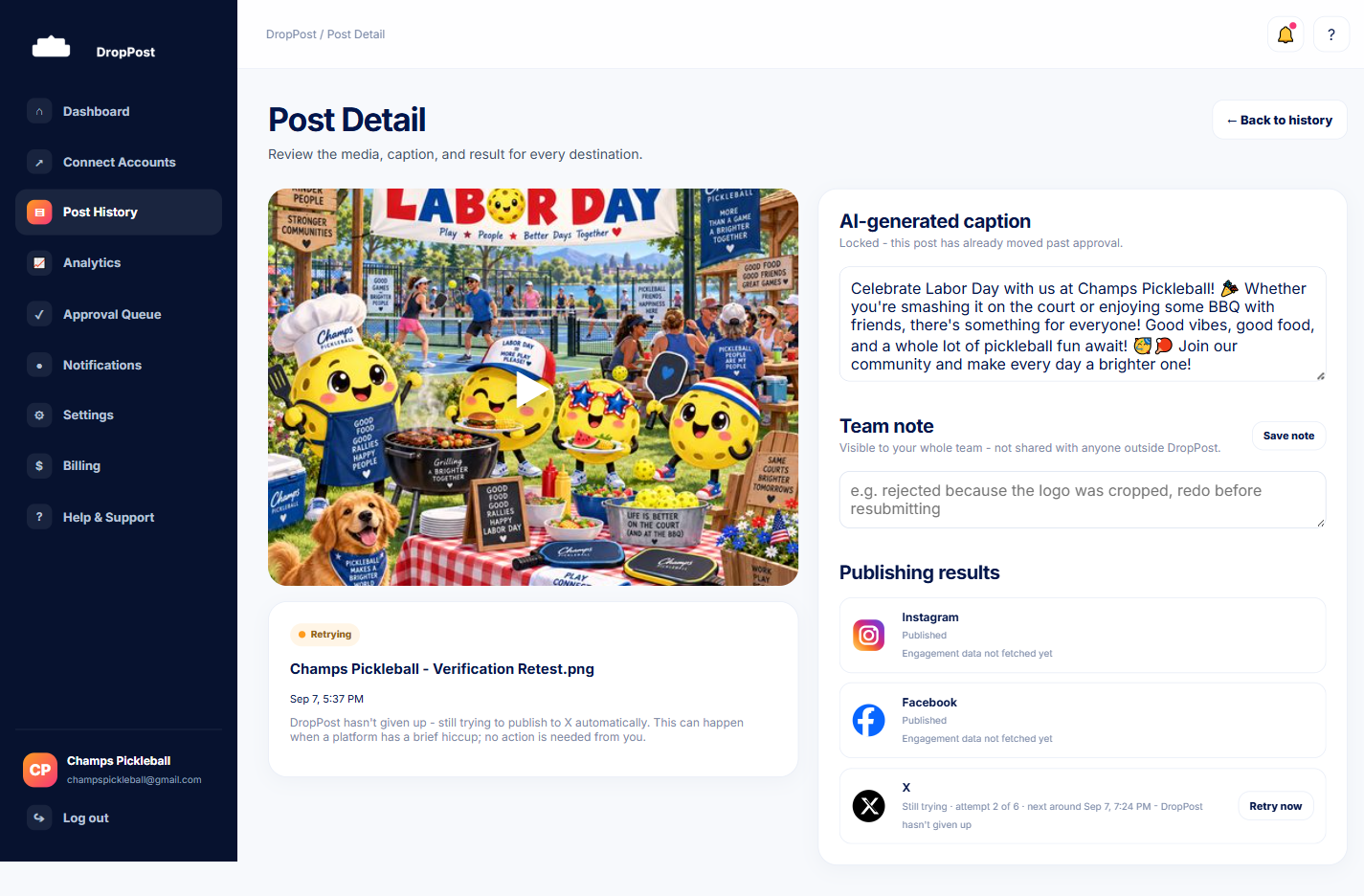
From Post History, click into the item you're concerned about. Post Detail shows a per-platform status and, if something went wrong, that platform's specific error message.
Help / "Why did my post fail?"
"Why did my post fail?"
Not every red flag on a post is a real failure. DropPost automatically retries most publishing problems for hours before anything becomes a customer-facing error, and Post Detail always shows exactly what's going on with a given post.
What you'll need
The Post Detail page for the specific post you're checking on, reachable from Post History.
Steps
1
Open the post's detail page
2
Check whether it says Retrying or Error
A "Retrying" status is not the same as a failure — many issues are automatically retried for several hours before ever becoming a final, customer-facing Error. Seeing "Retrying" usually just means DropPost is still working on it.
3
If it's a genuine Error, identify the cause
A genuine Error appears after retries are exhausted, or immediately for errors that can't be retried at all, like a revoked platform connection. The three most common fixable causes are: a revoked or expired connection, a Billing Hold, or something else that needs a closer look.
4
Apply the right fix
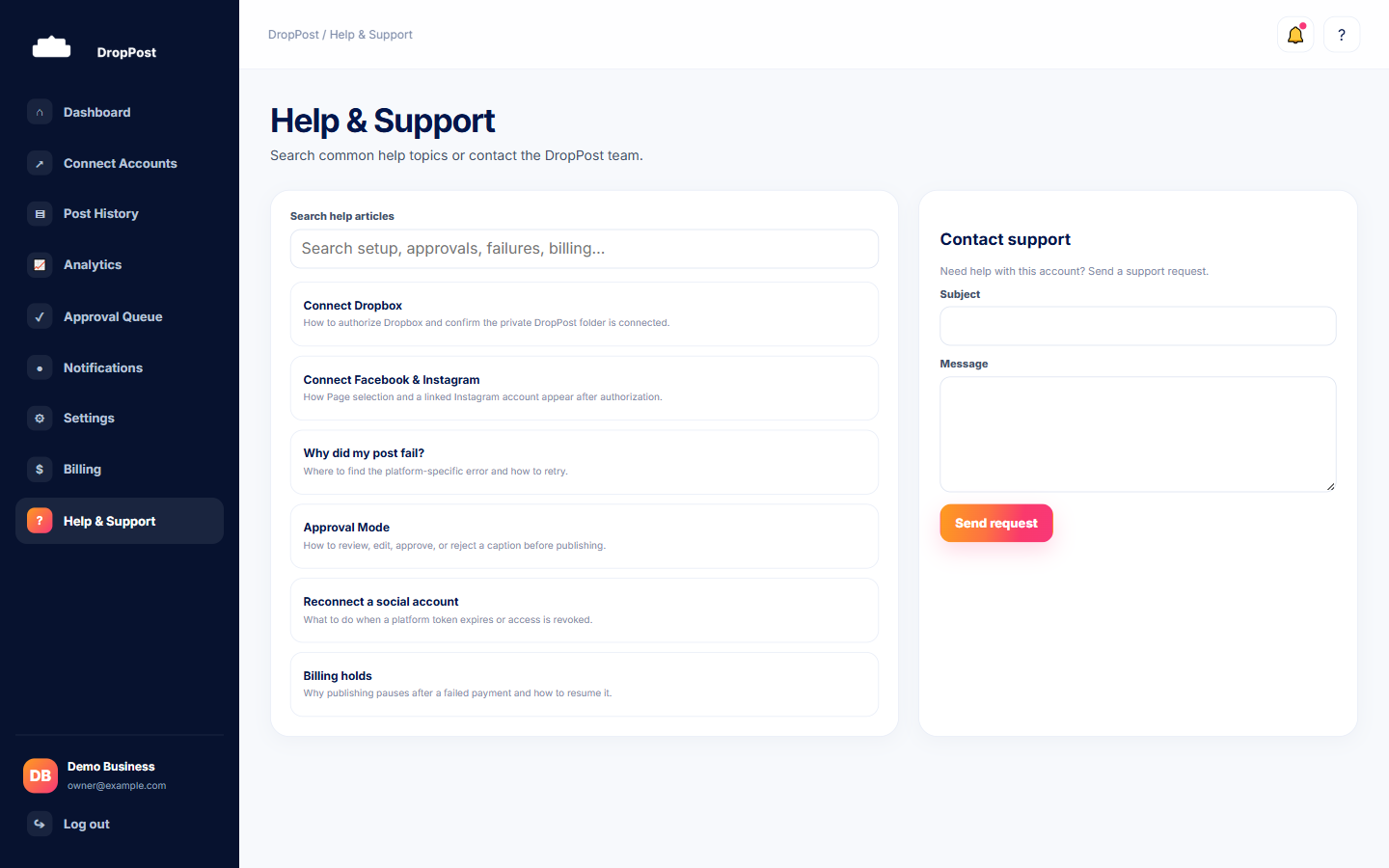
A revoked or expired connection is fixed from Connect Accounts by reconnecting the platform. A Billing Hold is fixed from the Billing page by resolving the payment issue. For anything else that's unclear, use the "Retry now" button right on the post, or reach out through the Contact Support form on the Help & Support page.
For the full explanation of the automatic retry system, see what "Retrying" means.
What happens next
Once the underlying cause is fixed — a reconnected account, a resolved Billing Hold, or a retry that succeeds — the post publishes normally and its status updates on Post Detail.